
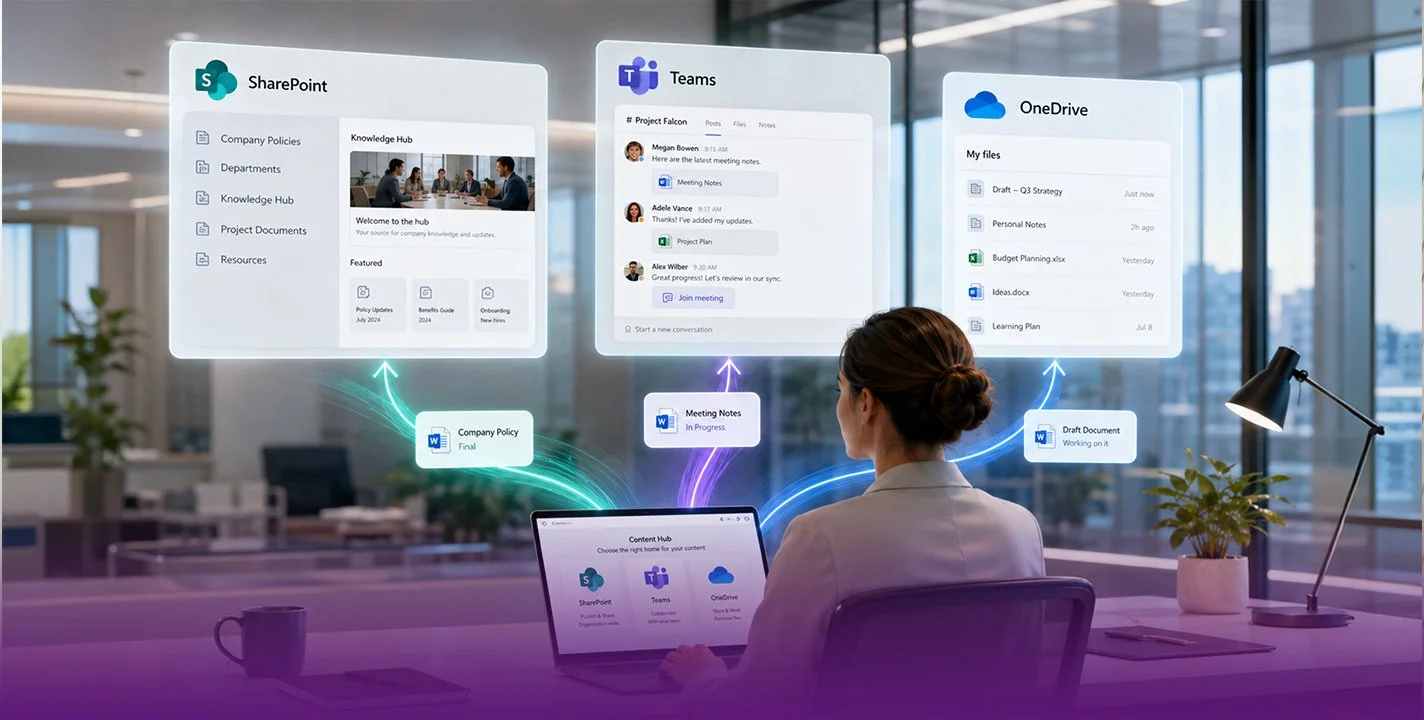
SharePoint has ceased to be a simple file repository. In 2026, Microsoft’s platform has become the central hub for enterprise productivity, featuring integrated artificial intelligence, process automation, and a completely redesigned architecture. With over 200 million monthly active users in the cloud and a presence in 85% of Fortune 500 companies, SharePoint remains the most widely used enterprise content management platform in the world. However, what it accomplishes today extends far beyond what most organisations currently leverage.
In this analysis, we review the functionalities that truly matter in SharePoint as of September 2026 and how each one addresses specific business challenges.
Document Management: The Core That Keeps Evolving
The foundation of SharePoint has always been document management, and it remains its strongest suit. Libraries allow files to be stored with automatic version control, real-time co-authoring, and granular permissions. However, the major leap lies in how information is organised. The subsites model is officially obsolete. In 2026, the recommended architecture is the Hub Sites model: independent sites grouped under thematic hubs that share navigation and search without creating rigid hierarchies. This change resolves a classic problem: the intranet that grows uncontrollably until no one can find anything.
Copilot in SharePoint: Artificial Intelligence Arrives to Content Management
The most significant development in 2026 is the direct integration of Copilot within SharePoint. Since June 2026, users with a Microsoft 365 Copilot licence see a floating button in the bottom right corner of any SharePoint site, library, or list. Clicking it opens a chat interface where instructions can be given in natural language.
Its capabilities go beyond answering questions. Copilot can create full pages and sites from a description, organise libraries according to specific criteria, generate interactive HTML reports, and convert lists or CSV files into live dashboards. This last feature, incorporated in August 2026, is particularly useful for teams needing to visualise operational data without relying on a developer. Importantly, Copilot operates within the user’s existing permissions without accessing unauthorised content, and site owners can disable it at an individual level.
Workflow Automation with Power Automate
SharePoint does not function in isolation. Its integration with Power Automate enables the creation of automated workflows without writing code. A practical example: when someone uploads a contract to a library, Power Automate automatically sends an approval request, notifies the team via Teams once approved, and moves the file to the corresponding folder. The combination of SharePoint as a repository and Power Automate as a process engine turns the platform into something closer to an enterprise management system than simple cloud storage.
Intranets and Communication Sites
Communication sites allow for the creation of internal portals with news, announcements, and corporate resources featuring a professional appearance without needing designers. In 2026, SharePoint received a complete visual redesign that unifies navigation, modernises the home page, and adds a "Discover" area where employees find content tailored to their role and recent activity.
According to the 2026 SWOOP Analytics report, based on data from over 410,000 employees across 41 organisations, content pages generate almost all the real value of an intranet, whilst much of the news goes unnoticed. The conclusion: content quality matters far more than quantity.
SharePoint Lists: Databases Without the Complexity
SharePoint lists are one of the least known yet most powerful features. They function as lightweight databases with custom fields, filtered views, and conditional formatting. An HR team can manage holiday requests; a project team can track deliverables with dates and assignees. The advantage over a shared spreadsheet is data integrity: each record is independent, permissions are applied at the item level, and information connects directly to Power BI or Power Automate.
Security, Compliance, and Governance
SharePoint offers controls that do not exist in generic storage tools. Retention labels define how long each document is kept and what happens when the period expires. Data Loss Prevention (DLP) policies detect sensitive information and apply sharing restrictions automatically. Everything is managed through Microsoft Purview. For companies in regulated sectors such as finance, healthcare, or government, these capabilities are a requirement, not an option.
Integration with the Microsoft 365 Ecosystem
The true value of SharePoint is multiplied when used alongside the rest of Microsoft 365. Every team in Microsoft Teams has a SharePoint site behind it storing its files. OneDrive uses SharePoint as its storage infrastructure. Outlook allows attachments to be saved directly to SharePoint libraries. Furthermore, Power Apps permits the creation of custom applications that read and write data to SharePoint lists.
This deep integration means SharePoint does not truly compete with standalone document management tools. It competes as part of a complete ecosystem covering communication, collaboration, automation, and data analytics on a single platform.
Who Does SharePoint Make Sense For?
SharePoint is the most solid option for organisations already operating within the Microsoft ecosystem, requiring advanced governance over their documents, and seeking a platform that scales from a basic intranet to automated workflows with artificial intelligence. It is not the most intuitive tool for small teams that only need to share files (OneDrive or Google Drive suffice for that), but for medium and large enterprises managing critical information, it remains difficult to beat.
The key lies in implementation. A poorly configured SharePoint is a labyrinth of folders that nobody uses. A well-designed SharePoint, with the correct architecture and processes aligned to the business, becomes the digital backbone of the organisation.
About Sharing Minds
Sharing Minds is one of Australia's premium business productivity specialists, working with companies of all sizes to enhance organisational communication, information management and productivity to drive business transformation.
Our vision is to empower your people and your business through the use of cutting edge, intelligent technology, providing you with a strategic advantage to drive success.
Sharing Minds brings a wealth of experience across strategic, consultative and support services to enable collaboration, integration and productivity through the use of the three Microsoft cloud platforms: Microsoft 365, Dynamics 365, and Azure. Our team of Microsoft Certified Professionals will revolutionise your business with thought leadership and brilliant outcomes.
At Sharing Minds, we take a customer first approach to our solutions and services, since nobody understands your business better than you. We partner closely with our clients to understand what they really need, tailoring individual solutions for individual businesses.
Follow us on our social networks to stay updated with the latest news!
LinkedIn - X - Facebook - Instagram - Blog