
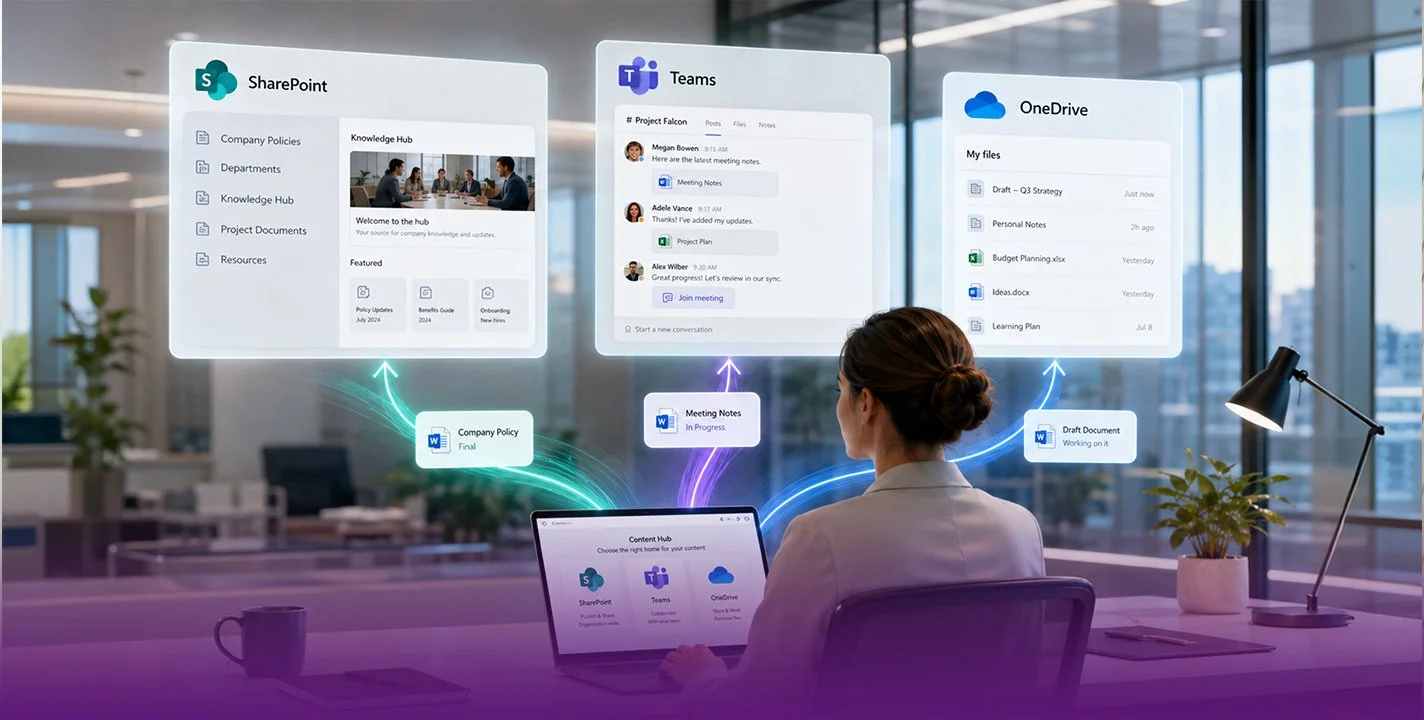
In 2026, Microsoft’s platform has become the central hub for enterprise productivity, featuring integrated artificial intelligence, process automation, and a completely redesigned architecture.

Today, in the corporate environment, information circulates constantly and teams work from different locations. Having a solid platform to manage documents and collaborate is essential. Microsoft SharePoint has established itself as one of the most powerful tools for document management, internal communication, and collaboration in organisations of all sizes.
From its integration with Microsoft 365 to its advanced automation and security capabilities, SharePoint enables companies to centralise information, optimise processes, and improve team productivity.
In this article, we will analyse in depth what Microsoft SharePoint is, its main capabilities, and the advantages it offers to modern organisations.
Microsoft SharePoint is an enterprise collaboration and content management platform developed by Microsoft. Its primary objective is to enable organisations to store, manage, share, and collaborate on documents and information within a centralised and secure environment.
Through SharePoint, companies can create corporate intranets, communication portals, document libraries, and collaborative workspaces that facilitate access to information and improve coordination between teams.
One of its greatest strengths is its native integration with tools such as:
Microsoft Teams
Microsoft OneDrive
Microsoft Power Automate
Microsoft Power Apps
This integration allows SharePoint to become the central hub for document management and collaboration within the Microsoft ecosystem.
One of SharePoint’s most important functions is advanced document management.
Companies can store files in document libraries organised by departments, projects, or work areas. This allows employees to easily access the information they need without relying on emails or scattered files.
Key features include:
Document version control
Change history
Real-time co-authoring
Advanced search
Metadata and automatic classification
Thanks to these capabilities, teams can work in a more structured way and avoid common issues such as file duplication or the use of incorrect versions.
SharePoint also enables the creation of modern, customised corporate intranets.
These intranets act as internal communication hubs where employees can find company news, policies, resources, important documents, and relevant announcements.
SharePoint intranets can include:
Corporate news
Event calendars
Employee directories
Training resources
Access to business applications
This significantly improves organisational transparency and information flow within the company.
Collaboration is one of the pillars of SharePoint.
Teams can work simultaneously on documents using integrated Microsoft tools such as Microsoft Word, Microsoft Excel, and Microsoft PowerPoint.
This means that multiple users can edit a file at the same time, view changes in real time, and leave comments or suggestions.
This type of collaboration is particularly useful for:
Remote teams
Multi-department projects
Corporate document reviews
Proposal or report development
Another major advantage of SharePoint is its ability to automate business processes.
Through integration with Microsoft Power Automate, organisations can create automated workflows that reduce manual tasks and improve efficiency.
Examples of automation include:
Document approvals
Internal request management
Automatic notifications
Contract review workflows
Employee onboarding processes
These automations enable organisations to save time and reduce human error in administrative processes.
Security is a priority for any organisation handling sensitive information.
SharePoint offers advanced access control systems, allowing administrators to define which users or groups can view, edit, or share specific documents or sites.
Key security capabilities include:
Granular permissions at file or folder level
Integration with corporate identities
Role-based access control
Data loss prevention
Auditing and activity logs
Additionally, as part of the Microsoft 365 ecosystem, SharePoint benefits from advanced security layers developed by Microsoft to protect business data.
By centralising documents, processes, and internal communication, SharePoint reduces the time employees spend searching for information or managing files.
This allows teams to focus on strategic tasks rather than repetitive administrative processes.
Hybrid and remote work have become a reality for many organisations.
SharePoint enables employees to access documents and collaborate from anywhere using mobile devices or web browsers.
This supports distributed work models and ensures all team members have access to up-to-date information.
SharePoint is a highly scalable platform.It can adapt to both small businesses and large corporations with thousands of employees.
As organisations grow, SharePoint allows new sites, libraries, processes, and automations to be added without the need to change platforms.
One of SharePoint’s greatest advantages is its integration with other business tools.
By working alongside applications such as Microsoft Teams and Microsoft OneDrive, SharePoint becomes the centre of digital collaboration within the organisation.
For example:
Files shared in Teams are stored in SharePoint
Personal documents are managed in OneDrive
Processes are automated using Power Automate
This integration creates a fully connected digital workplace environment.
As organisations continue advancing in their digital transformation journeys, tools like SharePoint play an increasingly important role.
Microsoft continues to introduce new features based on automation, artificial intelligence, and data analytics, enabling SharePoint to evolve constantly to meet the needs of modern organisations.
Furthermore, the trend towards integrated collaborative platforms suggests that SharePoint will remain a key component of many companies’ digital infrastructure.
Microsoft SharePoint has become an essential platform for organisations seeking to improve document management, optimise processes, and foster collaboration between teams.
Thanks to its content management, automation, security, and collaborative capabilities, SharePoint enables organisations to centralise information and create more efficient digital work environments.
For companies aiming to advance their digital transformation, implementing SharePoint not only improves productivity but also establishes a solid foundation for modern, secure, and scalable business collaboration.
Sharing Minds is one of Australia’s premium business productivity specialists, working with companies of all sizes to enhance organisational communication, information management, and productivity to drive business transformation.
Our vision is to empower your people and your business through the use of cutting-edge intelligent technology, providing you with a strategic advantage to drive success.
Sharing Minds brings extensive experience across strategic, consultative, and support services to enable collaboration, integration, and productivity through the use of three Microsoft cloud platforms: Microsoft 365, Dynamics 365, and Azure. Our team of Microsoft Certified Professionals will transform your business through thought leadership and outstanding outcomes.
At Sharing Minds, we take a customer-first approach to our solutions and services, recognising that nobody understands your business better than you. We partner closely with our clients to understand their real needs, tailoring individual solutions for each organisation.
Follow us on our social media to stay up to date with the latest news!
The way companies work has changed. Teams need tools that allow them to collaborate, adapt and move forward without technology becoming an obstacle. Businesses are looking for solutions that enable them to work in a more agile, secure and collaborative way, without adding complexity to their day-to-day operations. This is how Microsoft 365 has established itself as one of the most comprehensive and reliable platforms for organisations of all sizes.
Beyond being a suite of office applications, Microsoft 365 is an ecosystem designed to improve productivity, strengthen security and make collaboration easier, both in on-site and remote environments.
One of the main advantages of Microsoft 365 is its ability to adapt to how businesses work today. Cloud access allows teams to work from any location and device, while keeping information up to date and available at all times.
Applications such as Word, Excel, PowerPoint and Outlook remain pillars of daily work, but now integrate naturally with the cloud, enabling real-time editing, version control and secure access to documents. This reduces time spent, prevents duplication and improves operational efficiency.
For businesses, this flexibility translates into business continuity, even in the face of unexpected changes or hybrid working models.
Collaboration is a key factor in business success. Microsoft 365 integrates tools such as Microsoft Teams, SharePoint and OneDrive, allowing teams to communicate, share information and work together in a simple and structured way.
Microsoft Teams has become the centre of modern collaboration, bringing together chats, video calls, meetings, files and applications in a single environment. This eliminates tool fragmentation and improves internal communication.
Meanwhile, SharePoint and OneDrive make document management easier, provide controlled access to information and enable the creation of collaborative spaces tailored to each business area. All of this contributes to faster and better-aligned decision-making.
Security is one of the biggest concerns for businesses today. Microsoft 365 includes multiple layers of security designed to protect data, identities and devices against increasingly sophisticated threats.
Features such as multi-factor authentication, advanced threat protection, data encryption and conditional access policies help reduce risks without affecting the user experience. In addition, Microsoft continuously delivers updates to address new vulnerabilities and attacks.
For organisations, this means having a robust technological environment aligned with cybersecurity best practices, without the need to manage complex infrastructures.
Microsoft 365 is built to help businesses comply with data protection regulations and regulatory requirements. Compliance, information retention and auditing tools make it possible to manage sensitive data in a responsible and transparent way.
This is especially relevant for regulated sectors, where proper information management is key to avoiding penalties and protecting corporate reputation. Microsoft 365 provides visibility and control over data, enabling safer and more organised management.
Another key advantage of Microsoft 365 is its scalability. The platform adapts to both small businesses and large organisations, allowing licences to be added or modified according to business needs.
This flexibility avoids unnecessary investments and allows technology to grow at the same pace as the company. As teams, projects or objectives change, Microsoft 365 adjusts without disrupting daily operations.
Microsoft 365 integrates easily with other business solutions, both within the Microsoft ecosystem and from third parties. This makes it possible to automate processes, connect applications and improve overall business efficiency.
Tools such as Power Automate and Power Apps extend the capabilities of Microsoft 365, enabling the creation of workflows and custom applications without the need for complex development. This adaptability drives internal innovation and optimises resources.
Technology only delivers value when it is used properly. Microsoft 365 stands out for its intuitive and familiar interface, which makes adoption easier for teams. It also provides training resources and support to help businesses maximise their return on investment.
The guidance of a specialised partner, such as Sharing Minds, is key to ensuring proper implementation, aligned with business objectives and Microsoft best practices.
By centralising tools, reducing on-premises infrastructure and simplifying IT management, Microsoft 365 contributes to cost optimisation in the medium and long term. Businesses can reduce expenses associated with maintenance, scattered licensing and lack of system integration.
In addition, the subscription model enables clearer and more predictable financial planning.
Microsoft 365 is not a static solution. It continuously evolves to adapt to new ways of working, integrating artificial intelligence, automation and advanced analytics. This enables businesses to remain competitive and prepared for future challenges.
From improving knowledge management to boosting individual and collective productivity, Microsoft 365 positions itself as a solid foundation for digital transformation.
Microsoft 365 offers businesses far more than office applications. It is a comprehensive platform that drives productivity, strengthens security and facilitates collaboration in a constantly changing business environment.
For organisations seeking to work in a more efficient, secure and flexible way, Microsoft 365 represents a strategic investment. With the right support, such as that provided by Sharing Minds, businesses can unlock the platform’s full potential and move forward confidently on their digitalisation journey.
Sharing Minds is one of Australia's premium business productivity specialists, working with companies of all sizes to enhance organisational communication, information management and productivity to drive business transformation.
Our vision is to empower your people and your business through the use of cutting edge, intelligent technology, providing you with a strategic advantage to drive success.
Sharing Minds brings a wealth of experience across strategic, consultative and support services to enable collaboration, integration and productivity through the use of the three Microsoft cloud platforms: Microsoft 365, Dynamics 365, and Azure. Our team of Microsoft Certified Professionals will revolutionise your business with thought leadership and brilliant outcomes.
At Sharing Minds, we take a customer first approach to our solutions and services, since nobody understands your business better than you. We partner closely with our clients to understand what they really need, tailoring individual solutions for individual businesses.
Follow us on our social networks to stay up to date with the latest news!